
How To Create Hyperlink In HTML

How to Create a Hyperlink in HTML: A Step-by-Step Guide Creating a hyperlink in HTML is a straightforward process. Follow these steps to create a link on your website: 1. Open the HTML document you wish to add the link to in an editor such as ConTEXT or TextEdit. 2. Find the spot where you want to insert the link and type A, with quotation marks around it. 3. Insert the URL of the page... Read More »

How To Open Link In New Tab In HTML

How to Use HTML Target Attribute to Open Links in a New Tab The HTML target attribute can be used to open links in a new tab. To do this, the target attribute should be set to “_blank”. This will cause the link to open in a new browser window or tab when clicked. For example: When this link is clicked, it will open the URL https://www.example.com in a new browser window or tab, depending... Read More »
How To Put Image In HTML

How to Add an Image to Your HTML Document Using the IMG Tag The IMG tag is used to add an image to an HTML document. To use the IMG tag, you must include the src attribute, which specifies the location of the image file. The syntax for using this tag is as follows: The src attribute should contain a valid URL or path to the image file. The alt attribute provides alternative text for... Read More »
How To Create Registration Form In HTML

Step-by-Step Guide to Creating a Registration Form in HTML Creating a registration form in HTML is a relatively straightforward process. This step-by-step guide will walk you through the process of creating a basic registration form. Step 1: Create an HTML Document Open your text editor and create an HTML document. Begin by adding the basic structure of an HTML document, including the doctype declaration, html tag, head tag, and body tag. Step 2: Add Form... Read More »
How To Increase Text Size In HTML

How to Use the HTML Font Size Attribute to Increase Text Size The HTML font size attribute is used to increase the size of text on a web page. This attribute can be applied to any HTML element, including headings, paragraphs, and lists. To use the font size attribute, simply add the “size” attribute to the opening tag of an element and assign it a numerical value between 1 and 7. The higher the number,... Read More »
How To Add Images In HTML

How to Add Images Using HTML Image Tags Adding images to a web page using HTML image tags is a straightforward process. To do so, the IMG tag should be used. This tag requires two attributes: src and alt. The src attribute specifies the location of the image file, while the alt attribute provides alternative text for users who cannot view images in their browsers. For example, if an image named “example_image.jpg” is located in... Read More »
How To Add CSS File In HTML

How to Link an External CSS File to Your HTML Document To link an external CSS file to an HTML document, you must use the LINK element. This element should be placed in the HEAD section of your HTML document. The element requires two attributes: rel and href. The rel attribute specifies the relationship between the current document and the linked resource, while href specifies the location of the linked resource. How to Embed a... Read More »
How To Change Font Colour In HTML

Step-by-Step Guide to Changing Font Colour in HTML 1. Open the HTML document in a text editor. 2. Locate the text you want to change the font color of and add a tag around it, like this: 3. Add an inline style attribute to the span tag, like this: 4. Replace #000000 with a hexadecimal colour code for the desired font colour, such as #FF0000 for red or #00FF00 for green. 5. Save your changes... Read More »
How To Change Image Size In HTML

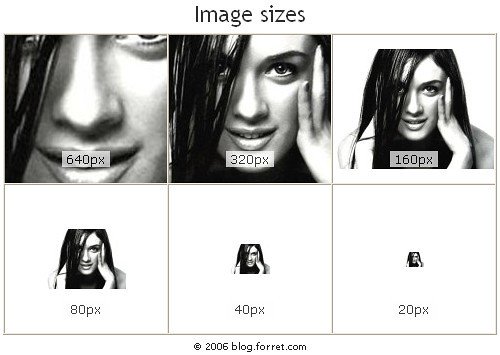
How to Resize an Image in HTML Using the Width and Height Attributes The HTML tag is used to embed an image into a web page. The width and height attributes of the tag can be used to resize an image. These attributes are specified in pixels, and they define the width and height of the image respectively. For example, if you wanted to display an image that was 200 pixels wide by 150 pixels... Read More »
How To Align Text In Center In HTML

How to Use the CENTER HTML Tag to Align Text in the Center of a Web Page The HTML tag is used to align text in the center of a web page. To use this tag, simply place the opening and closing tags around the text you wish to center. For example: This text will be centered on the page. The tag can also be used with other HTML elements such as images, tables, and... Read More »